
Will your CCTV work when you need it?
Twelve quick questions on camera coverage, recording, power backup, system security and access control. Enter your email and phone number at the end to see your score and a list of your gaps with practical fixes, and we email you the action plan.
- 12 questions
- About 4 minutes
- Instant score
CCTV health check
- Cameras on entrances, tills and stock
- Night picture, recording days and weekly checks
- Hard disk health and power backup
- Passwords, remote viewing and where the recorder is kept
- Door access control and staff attendance
12 questions · About 4 minutes · Instant score
What this health check covers
01 · Camera coverage
Does a camera cover every entrance and exit, close enough to recognise the faces of people coming in?
Everyone who comes in or goes out passes an entrance. A wide view of a room may show that something happened, but not who did it.
02 · Camera coverage
Are your tills, cash points, stores and other high-value stock areas covered by cameras?
Losses at the till and from the store are hard to prove without footage, and cameras in plain view can also discourage theft in the first place.
03 · Camera coverage
Do your cameras give a clear, usable picture at night and in poor light?
Your premises are most exposed after closing time, when nobody is there. A camera with failed night vision or a dirty lens can record hours of footage that shows nothing useful.
04 · Recording & power
Does your recorder keep enough days of footage to look back at a loss you only discover later, such as at a stock count?
Once its disk is full, a recorder either records over the oldest footage or stops recording. If a theft is noticed after the footage has gone, there is no evidence.
05 · Recording & power
Does someone play back recordings from every camera at least once a week to confirm they are recording?
A camera can stop recording without anyone noticing until the day footage is needed. A quick weekly check catches a dead camera, a full disk or a wrong date and time.
06 · Recording & power
Does your recorder show its hard disk as healthy, with no errors or warnings?
The hard disk records round the clock and wears out in time. When it fails, the recorder can keep showing live pictures while saving nothing.
07 · Recording & power
Are the recorder, the camera power supply and the internet router on a UPS that keeps them running through power cuts?
Without backup power, every power cut leaves a gap in your recordings, and sudden shutdowns are hard on the recorder and its hard disk.
08 · System security
Have the factory default passwords on your recorder and cameras been changed to strong ones?
A recorder that can be reached from the internet with a default or weak password can be opened by strangers, who can then watch your premises or delete footage.
09 · System security
Can the owner or manager view live and recorded footage securely on a phone when away from the premises?
Remote viewing lets you check on the business after hours and act on an alert straight away. Set up carelessly, it can also leave the recorder exposed to the internet.
10 · System security
Is the recorder kept in a locked or hidden place, where an intruder cannot easily take it?
The recorder holds all your footage. If thieves can find it and carry it away, they take the evidence with them.
11 · Access & attendance
Are doors to stores, cash offices, server rooms and other restricted areas controlled by a system that records who went in?
Keys can be copied or lent, and a lock cannot tell you who opened it. Access control with a fingerprint, card or PIN records who entered and when.
12 · Access & attendance
If you have staff on shifts, is attendance recorded by a system that stops one person clocking in for another?
Paper registers and shared cards are easy to fill in for an absent colleague. A face or fingerprint cannot be handed to someone else, so biometric attendance makes that much harder.
Good to know: This check gives general guidance based on your own answers. It is not an on-site security survey, which needs a technician to inspect your cameras, recorder, cabling and power.
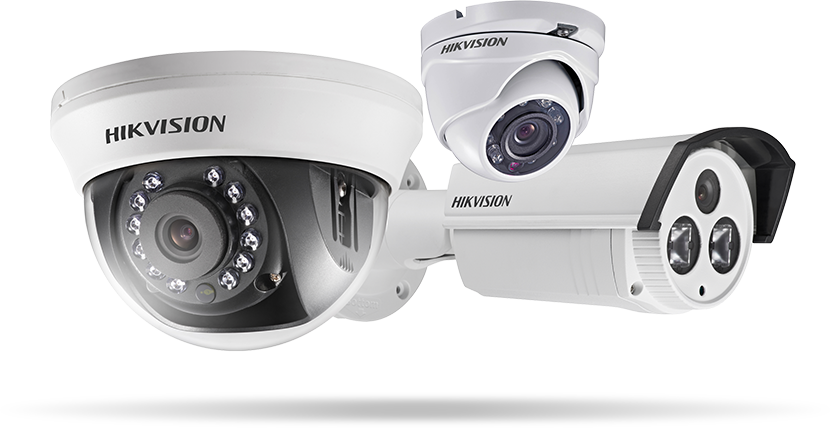
CCTV security cameras
Analog and IP cameras, recorders and monitors, installed by our technicians, with viewing on your phone.
- Analog & IP cameras
- View on your phone
- Installed by our technicians
- Tanzanian IT company since 2001
- Branch offices across Tanzania
Often bought together: Biometrics & access control, Firewall & endpoint security, Repairs, networking & AMC
Questions
Enough to look back at an incident you discover late. Work out how long a loss might go unnoticed, such as the time between stock counts, and keep at least that many days. How many days fit depends on the number of cameras, resolution, frame rate, motion or continuous recording, compression and disk size. Our CCTV storage calculator helps you estimate it.
No. A DVR or NVR records to its own hard disks on site. You need an internet connection only to watch cameras or receive alerts away from the premises, and remote viewing depends on the upload speed at the site. If the recorder is online, change its default passwords and keep its firmware updated.
Analogue cameras send video over coaxial cable to a DVR and suit smaller sites and buildings that already have coaxial cabling. IP cameras send digital video over network cable to an NVR and suit new installations, larger sites and plans to add cameras later. Hybrid recorders accept both, which helps when upgrading in stages. Powercomputers supplies and installs both types.
Only with backup power. Put the recorder, the camera power supply or PoE switch and the internet router on a UPS sized for their load and for the length of power cuts you usually get, and test the batteries every few months. Without it, every power cut leaves a gap in your recordings.
More free health checks
IT health check
Twelve quick questions on backups, security, power protection, equipment and support. Enter your email and phone number at the end to see your score and a list of your gaps with practical fixes, and we email you the action plan.
Cyber security check
Twelve quick questions on your firewall and Wi-Fi, passwords, staff awareness, updates and backups. Enter your email and phone number at the end to see your score and a list of your gaps with practical fixes, and we email you the action plan.
EFD & VFD compliance check
Twelve quick questions on how your business issues fiscal receipts with an EFD or VFD in Mainland Tanzania. Enter your email and phone number at the end to see your score and a list of your gaps with practical fixes, and we email you the action plan.
Want help fixing these gaps?
Powercomputers has supported Tanzanian businesses since 2001. Tell us your score and we’ll suggest what to fix first.