
CCTV storage calculator: how big a hard disk your cameras need
Enter your cameras, their resolution and compression, and how many days of recording you want to keep. See the storage needed in TB, a suggested disk size and the working.
Use 24 for continuous recording. For motion-only recording, estimate the hours of movement a day.
Suggested for 4 MP with H.265 at 25 fps: 3,413 Kbps. If you know the bitrate your recorder or camera shows, enter that instead.
Busy scenes and night-time noise push the bitrate up, so leave some room.
Example values: change them to your own.
Your result
Storage needed
8.85 TB
8 cameras recording 24 hours a day for 30 days
Suggested disk size
10 TB
The next common size up from 9.73 TB, which includes your 10% extra space.
- Bitrate per camera
- 3,413 Kbps
- Per camera per day
- 36.9 GB
- All cameras per day
- 294.9 GB
- Total for 30 days
- 8.85 TB
- With 10% extra space
- 9.73 TB
The working
3,413 Kbps × 3,600 seconds × 24 hours ÷ 8 ÷ 1,000,000 = 36.9 GB per camera a day. 36.9 GB × 8 cameras × 30 days = 8.85 TB, or 9.73 TB with 10% extra space.
CCTV security cameras
Analog and IP cameras, recorders and monitors, installed by our technicians, with viewing on your phone.
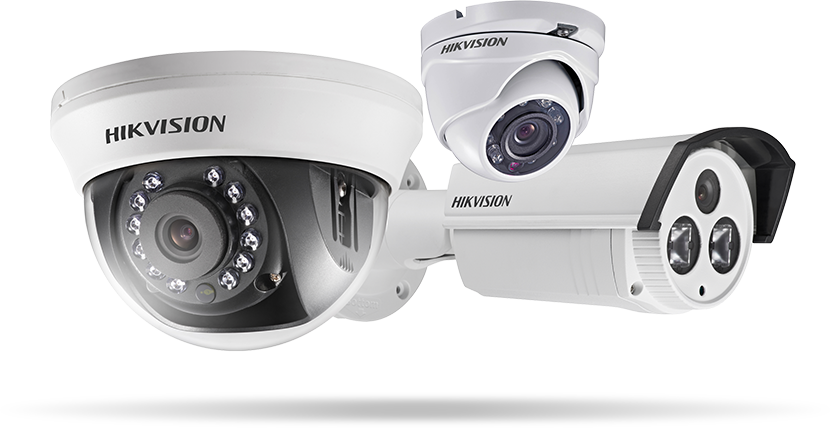
- Analog & IP cameras
- View on your phone
- Installed by our technicians
- Tanzanian IT company since 2001
- Branch offices across Tanzania
Often bought together: Biometrics & access control, Firewall & endpoint security, Repairs, networking & AMC
How it works
Storage is bitrate multiplied by recording time. A camera’s bitrate is the number of kilobits per second (Kbps) it sends to the recorder. Multiply it by 3,600 seconds and by the hours recorded each day, divide by 8 to turn bits into bytes and by 1,000,000 to get gigabytes (GB). Multiply by the number of cameras and the days to keep, and divide by 1,000 for terabytes (TB). Disk makers such as Western Digital count 1 TB as one trillion bytes, and so does this calculator.
The suggested bitrate starts from the H.265 figures Dahua publishes for its XVR recorders, 2,048 Kbps for 1080p (2 MP) and 4,096 Kbps for 4 MP at 30 frames a second: 1,024 Kbps per megapixel. The calculator uses the same rate per megapixel for 5 MP and 8 MP, doubles it for H.264 (the ITU said in 2013 that H.265 needs only half the bit rate of H.264) and scales it by frame rate, since Western Digital notes that doubling the frame rate roughly doubles the storage. At 25 frames a second, a 4 MP camera on H.265 comes to about 3,413 Kbps.
Real bitrates vary with the camera model, its settings and the scene: TP-Link notes that scene activity, frame rate and night-time noise change the bitrate, and smart codecs such as H.265+ are built to compress further. Once the cameras are installed, read the actual bitrate on the recorder and enter it here, then keep some extra space. If your recorder mirrors one disk onto another for safety, buy twice the capacity.
Assumptions
- Every camera records the main stream at the same, steady bitrate. With variable bitrate, quiet scenes use less.
- Suggested bitrates use 1,024 Kbps per megapixel at 30 frames a second on H.265, from Dahua’s figures for 2 MP and 4 MP; the same rate per megapixel is assumed for 5 MP and 8 MP.
- H.264 is taken as twice the H.265 bitrate, and the bitrate as proportional to the frame rate.
- 1 GB = 1,000,000,000 bytes and 1 TB = 1,000 GB, as disk makers count them. A recorder or computer that counts in steps of 1,024 shows a 4 TB disk as about 3.6 TB.
This is an estimate based on the numbers you enter. It is not a quote or professional advice.
Questions
At the suggested 3,413 Kbps for a 4 MP camera on H.265 at 25 frames a second, one camera recording 24 hours uses about 37 GB a day, or about 1.1 TB a month. The figure is the bitrate in Kbps × 3,600 × hours ÷ 8 ÷ 1,000,000, so check your recorder’s actual bitrate: it changes with resolution, compression, frame rate and how busy the scene is.
It roughly halves the bitrate for the same picture. When the ITU announced H.265 in January 2013, it said the new standard would need only half the bit rate of H.264, and this calculator uses that ratio. The saving in practice depends on the camera’s encoder and the scene, and your recorder and viewing software must support H.265.
Western Digital suggests 10 to 15 frames a second for general surveillance. TP-Link’s guide to its VIGI cameras shows 25 as the default and advises 25 frames a second in countries with 50 Hz mains power and 30 where it is 60 Hz. Halving the frame rate roughly halves the storage, so a lower rate lets the same disk keep more days of recording.
Disk makers count 1 TB as 1,000,000,000,000 bytes, while most software counts in steps of 1,024, so a 4 TB disk appears as about 3.6 TB. No space is missing. This calculator uses the disk makers’ units, so the suggested size matches the label on the disk you buy, and the extra space you allow covers busy scenes and night-time noise.
More free tools
CCTV health check
Twelve quick questions on camera coverage, recording, power backup, system security and access control. Enter your email and phone number at the end to see your score and a list of your gaps with practical fixes, and we email you the action plan.
H.264 or H.265 for CCTV? How compression changes storage and bandwidth
Compression decides how many days of footage fit on a recorder and how much bandwidth remote viewing uses. How H.264, H.265 and smart codecs compare, how to estimate storage, and what to check before buying.
CCTV security cameras
Analog and IP cameras, recorders and monitors, installed by our technicians, with viewing on your phone.
Analogue vs IP CCTV cameras: which suits your home, shop or office?
Analogue cameras record to a DVR over coaxial cable; IP cameras send digital video over network cable to an NVR. How they compare on cabling, recording and remote viewing, and what to ask before you buy.
UPS size and backup time calculator
Size a UPS for your equipment and estimate how long it keeps running during a power cut.
Password generator
Strong passwords and passphrases, made in your browser. Nothing is sent or stored.
Want exact figures for your business?
Send us your numbers and the Powercomputers team will come back with options and a quote.