
12 ways to save time on payroll and attendance
Replace attendance books and manual payroll with biometric clock-ins, payroll software and a simple monthly checking routine.
By the Powercomputers team · 12 ideas
The short answer
Replace paper registers with biometric attendance so hours, lateness and overtime are recorded automatically, agree the attendance rules in writing, and feed the data straight into payroll software that calculates PAYE and statutory contributions. Handle leave, loans and payslips electronically, check every change before each payroll run, and have a second person approve the payroll. Get written consent before collecting fingerprints or faces.
In many businesses, payroll still starts with a paper attendance book, a spreadsheet of overtime and a calculator for PAYE, NSSF and the other deductions. Each month the same data is copied by hand, and every copy is a chance for an error or an argument.
Attendance and payroll are worth automating early, because exactly the same work repeats every month.
- 1
Replace the attendance book with biometrics
Paper registers and signing sheets are easy to fill in for an absent colleague and slow to total. A biometric terminal identifies each person by face or fingerprint and time-stamps every clock-in, so one person cannot clock in for another and hours are totalled automatically.
- 2
Write down the attendance rules first
Before switching on any system, agree shift times, any grace period for lateness, how overtime is approved and what happens when someone forgets to clock out. Software applies rules consistently, but only the rules you give it, and written rules prevent disputes later.
First steps
- Define each shift’s start and end times
- Agree a grace period and an overtime approval process
- Share the rules with staff before go-live
- 3
Get consent before collecting biometrics
Tanzania’s Personal Data Protection Act treats biometric data as sensitive personal data, which may not be processed without the person’s prior written consent, subject to listed exceptions, and consent can be withdrawn at any time. The Act also requires anyone who collects personal data to register with the Personal Data Protection Commission. Use written consent forms, explain the purpose, and offer a card or PIN to anyone who withdraws consent.
- 4
Send attendance straight to payroll
Attendance data saves time only if it reaches payroll without being retyped. Payroll software that takes hours, lateness, absence and overtime directly from the terminals removes a monthly round of copying, and the errors that come with it.
- 5
Let software calculate statutory deductions
PAYE, NSSF, WCF, SDL, NHIF and HESLB each follow their own rules, and rates change from time to time. Payroll software that calculates them and produces the statutory reports removes the manual arithmetic and makes it easier to file correctly and on time.
- 6
Move leave requests online
Paper leave forms get lost, and balances kept in a notebook are disputed. Online leave requests with automatic balances show a manager who else is away before approving, and send unpaid leave straight into payroll.
- 7
Track loans and salary advances in payroll
Advances written on scraps of paper are forgotten or deducted twice. Recording every loan and advance in the payroll system, with automatic monthly deductions and a running balance, keeps the business and the employee clear about what is owed.
- 8
Send payslips electronically
Printing and handing out payslips takes hours each month and exposes salaries to others. Electronic payslips reach staff in every branch on the same day, and self-service lets employees check their own payslips and leave balances without asking HR.
- 9
Check changes before every payroll run
Payroll errors often come from changes: new starters, leavers, promotions, unpaid leave and new loans. Collect every change on one list with a monthly cut-off date, and check the draft payroll against it before anyone is paid.
First steps
- Set a monthly cut-off date for changes
- Collect joiners, leavers and pay changes on one list
- Compare the draft payroll with last month and the list
- 10
Separate preparing from approving
The person who prepares the payroll should not be the only person who approves it. A second check of totals, new names and large changes catches mistakes and makes payroll fraud, such as paying people who have left, much harder.
- 11
Pay salaries by transfer, not in cash
Paying in cash takes time to collect, count and hand out, and carries risk. A bank payment file produced by the payroll system pays everyone in one step and leaves a clear record of who was paid what.
- 12
Keep terminals running through power cuts
A biometric terminal cannot record clock-ins without power. Check whether yours has a built-in battery, and connect it to a small UPS if it does not, so a morning power cut does not leave gaps in the records.
Payroll & HR software
Powerpay automates salaries, PAYE and statutory contributions, leave, loans, payslips and biometric attendance.
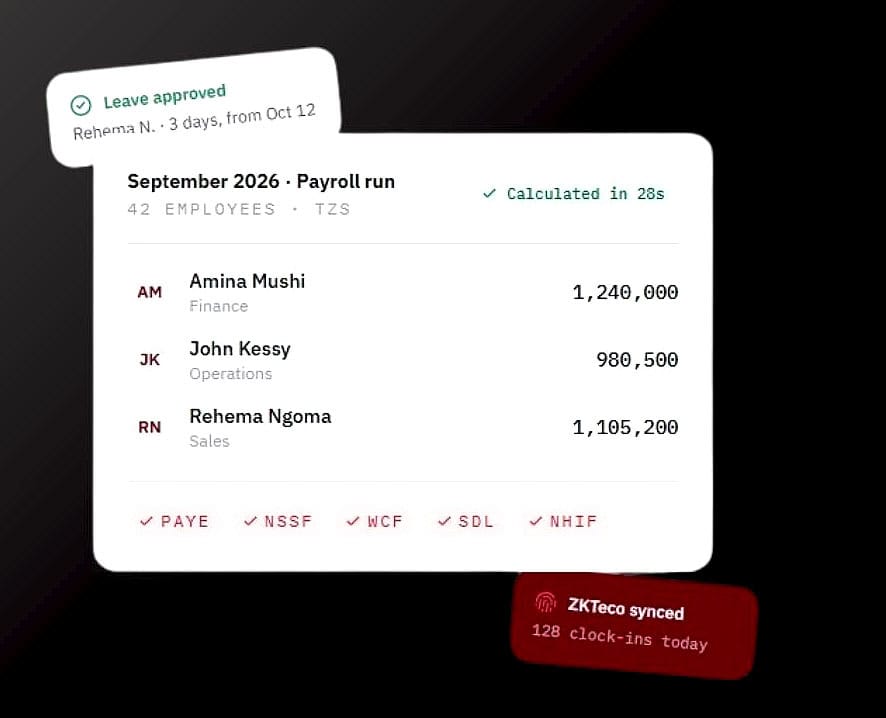
- PAYE, NSSF, WCF, SDL, NHIF, HESLB
- Biometric attendance
- Electronic payslips
- Tanzanian IT company since 2001
- Branch offices across Tanzania
Often bought together: Biometrics & access control, Tally & TallyPrime
Frequently asked questions
If you pay staff by the hour, track lateness or pay overtime, usually yes. A terminal records each clock-in with a time stamp, stops one person clocking in for another and, with the right software, sends hours straight to payroll. For a very small team on fixed salaries with no overtime, a simple signed register may be enough.
Tanzania’s Personal Data Protection Act treats biometric data as sensitive personal data and says it may not be processed without the person’s prior written consent, with some exceptions, and that consent can be withdrawn at any time. Get written consent, explain the purpose, offer an alternative such as a card or PIN, and take legal advice on your situation.
Payroll software for Tanzania should calculate and report PAYE, NSSF, WCF, SDL, NHIF and HESLB where they apply, plus your own deductions such as loans and salary advances. Check that the supplier updates the software when statutory rates change, and that it produces the reports you need to file.
A terminal cannot log clock-ins without power, so recording stops unless it has a battery or a UPS. Some terminals have a built-in battery; for the others, connect a small UPS sized for the terminal and its network switch. Clock-ins already stored on the terminal stay there and can be collected once power returns.
More efficiency ideas
14 ways to speed up bookkeeping, VAT and tax records
Turn month end from a rescue into a review: record daily, enter each sale once, reconcile weekly and keep the records the law asks for.
12 ways to go paperless and find any file in minutes
Move from paper files to a searchable, backed-up system in stages, starting with the documents your staff look for every day.
13 ways to run a more efficient school or college
Spend less time on fees, payroll, equipment and records, and more on teaching, with simple systems and clear routines.
Tell us what your business needs
Get a quote or a callback from the Powercomputers team: hardware, software, EFD and VFD, security, web or support.