Fingerprint or face recognition for staff attendance: which should you choose?
Both stop one employee clocking in for another. How fingerprint and face terminals compare on hygiene, speed, accuracy, spoofing and capacity, what Tanzania’s data protection law requires, and how to test before you buy.
By the Powercomputers team · 21 November 2026 · 5 min read
The short answer
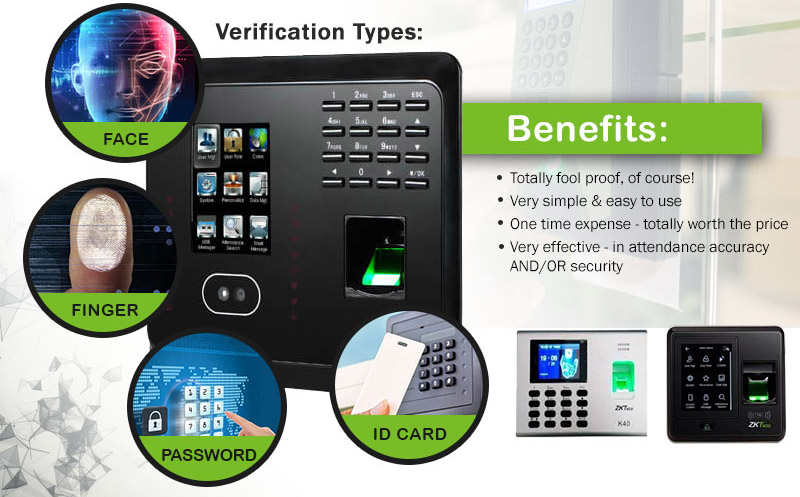
Both tie each clock-in to the person rather than to a card or PIN that can be lent. A fingerprint terminal needs a finger placed on its sensor, and the finger must read cleanly each time. A face terminal is touch-free and suits busy entrances and staff with dirty or gloved hands, but depends on lighting and on the recognition algorithm. Some terminals, such as ZKTeco’s MB360, support both, so each person can use whichever works for them. Run a trial with your own staff before buying.
Key points
- Fingerprint and face both prove who is clocking in, unlike cards and PINs, which can be shared.
- Face recognition is touch-free; a fingerprint reader needs a clean, readable finger on its sensor.
- NIST found a wide range in face recognition accuracy across developers, so the algorithm matters.
- Capacity varies: ZKTeco lists the MB360 at 400 faces and 500 fingerprints, and the K40 at 1,000 fingerprints.
- On face terminals, look for anti-spoofing that rejects photos, videos and masks.
- Tanzania’s Personal Data Protection Act treats biometric data as sensitive and requires prior written consent.
What both methods do
A biometric attendance terminal identifies each employee by something they are rather than something they carry. Each person enrols once; at every clock-in the terminal compares the live face or finger with the stored template and logs the time. ZKTeco’s MB360 datasheet states that verification takes less than one second, and that the terminal exchanges data with a PC over TCP/IP or by USB.
Either method closes the gap that cards and PINs leave open, because a card or code can be handed to a colleague. The choice between them depends on your workplace: how people arrive, the state of their hands, the light at the entrance and how many staff must be enrolled.
Fingerprint terminals
Fingerprint readers are the long-established option: the employee places a finger on a small sensor and the terminal matches the print. ZKTeco’s K40, for example, works with fingerprint and password, reads ID cards through an add-in module, stores 1,000 fingerprints and 80,000 records, and has a built-in backup battery rated for four hours.
The weak point is the finger itself. It must be clean and readable every time, and in some jobs hands are often dirty, wet or worn. Everyone touches the same sensor, so it needs regular cleaning. During a trial, enrol people from each type of job, including those who do manual work, and see how reliably the terminal reads them.
Face recognition terminals
A face terminal identifies people as they stand in front of its camera, so nobody touches the device. That suits busy entrances at shift change, workers wearing gloves, and areas where hygiene matters. ZKTeco’s SpeedFace-H5L, for example, lists face, fingerprint, card and password verification, capacity for 6,000 face templates, face recognition in one second or less, a low-light camera with adjustable supplementary lighting, and an anti-spoofing algorithm against printed photos, videos and 3D masks.
Accuracy depends on the algorithm. In a 2019 study of 189 face recognition algorithms from 99 developers, the US National Institute of Standards and Technology (NIST) found a wide range in accuracy across developers, and said results depend on the algorithm at the heart of the system, the application that uses it and the data it is fed.
Placement matters too. The MB360, K40 and SpeedFace-H5L datasheets all give an operating temperature range of 0 to 45°C, so mount terminals out of direct sun and rain, where faces are evenly lit.
Comparing the two
Side by side, the differences are practical rather than technical.
- Contact: face is touch-free; fingerprint means every user touches the same sensor.
- Hands: face works with gloves or dirty hands; fingerprint needs a clean, readable finger.
- Setting: face depends on lighting and camera position; fingerprint depends on the condition of the skin.
- Capacity: ZKTeco lists the MB360 at 400 faces and 500 fingerprints, the K40 at 1,000 fingerprints and the SpeedFace-H5L at 6,000 faces.
- Speed: the MB360 and SpeedFace-H5L datasheets both give verification in one second or less.
- Fallback: a terminal that also accepts a card or PIN can cover someone whose face or finger will not read.
Spoofing, privacy and the law
A biometric system is only useful if it is hard to fool. For face terminals, ask whether the model has anti-spoofing that rejects printed photos, screens and masks, as ZKTeco states for the SpeedFace-H5L. For fingerprint terminals, ask how the sensor rejects fake fingers.
Tanzania’s Personal Data Protection Act, 2022 lists biometric data as sensitive personal data. Section 30 says sensitive personal data must not be processed without the prior written consent of the person concerned, subject to listed exceptions, and that consent may be withdrawn at any time without explanation or charges. Section 14 requires anyone who collects or processes personal data to be registered with the Personal Data Protection Commission, and section 27 requires reasonable security safeguards.
In practice: collect written consent, explain that the purpose is attendance (and door access, if used), limit who can open the attendance software, and keep a card or PIN option for anyone who withdraws consent. Take legal advice on your own obligations.
Run a trial before you buy
A week’s trial with real staff answers more questions than any brochure.
- Enrol people from every type of job, including manual workers and staff who wear gloves.
- Test the terminal at the real entrance, when the light is strongest and when it is weakest.
- Time the queue at shift change.
- Count failed reads and how often a card or PIN fallback is needed.
- Check that records reach the attendance or payroll software correctly.
- Check what happens in a power cut: the K40 has a built-in battery; other models may need a small UPS.
How Powercomputers can help
Powercomputers has carried out more than 250 biometric installations across Tanzania. For time and attendance it offers the ZKTeco MB360 (face, fingerprint, password and ID card) and K40 (fingerprint, password and ID card); for door access, the SF300 (fingerprint, password and ID card); and for houses and flats, biometric smart locks that need no computer.
Attendance can flow into Powerpay, Powercomputers’ payroll software, which supports biometric attendance devices, and its annual maintenance contracts cover biometrics.
Frequently asked questions
Neither is more accurate in every setting. NIST found a wide range in face recognition accuracy across developers, and fingerprint reading depends on the condition of each person’s fingers. Test both with your own staff; terminals such as the MB360 support both.
Anti-spoofing is designed to stop that. ZKTeco states that its SpeedFace-H5L has an anti-spoofing algorithm against printed photos, videos and 3D masks. Ask for this in writing for any model you consider.
Tanzania’s Personal Data Protection Act treats biometric data as sensitive personal data and requires prior written consent to process it, with some exceptions, and consent can be withdrawn. Get written consent, offer a card or PIN alternative and take legal advice.
A terminal needs power to log clock-ins. ZKTeco’s K40 has a built-in backup battery rated for four hours; for other models, plan a small UPS.
Sources
This guide was written from these pages:
- ZKTeco: MB360 multi-biometric T&A and access control terminal datasheet (PDF, via Powercomputers)
- Powercomputers: K40 fingerprint time attendance terminal specification (PDF)
- ZKTeco: SpeedFace-H5L
- NIST: NIST study evaluates effects of race, age, sex on face recognition software (news release, 19 December 2019)
- PDPC: Personal Data Protection Act, 2022 (Cap. 44), English version (PDF)
- Powercomputers: Biometrics
- Powercomputers: Payroll & HR Management Software
- Powercomputers: Technical Repair Solutions (annual maintenance contracts)