How to verify a TRA receipt and check it is genuine
TRA’s receipt verification portal lets anyone look up a fiscal receipt by its verification code. How to use it, what a legal receipt must show and what to do if a receipt isn’t found.
By the Powercomputers team · 21 November 2026 · 6 min read
The short answer
Enter the receipt verification code shown on the receipt into TRA’s Taxpayer Receipt Verification Portal and select Verify Receipt. If the portal can’t find it, it says the receipt was not found, either because of errors or because the seller did not submit a copy of the receipt to TRA, and offers a form to report the receipt’s details. Also check that the receipt itself carries what the regulations require, such as the seller’s TIN, the device’s identification number, the date and time, and the fiscal logo.
Key points
- TRA’s Taxpayer Receipt Verification Portal looks up a receipt by its receipt verification code.
- If a receipt isn’t found, TRA says it may be an error or the seller didn’t send TRA a copy.
- The portal’s report form asks for the seller’s name and TIN, EFD serial, receipt and Z numbers, date, totals and location.
- A legal EFD receipt runs from START OF LEGAL RECEIPT to END OF LEGAL RECEIPT and carries the fiscal logo.
- Buyers must demand a fiscal receipt and report a refusal; failing to do so is an offence.
- Businesses need fiscal receipts to support their expenses for income tax.
Why it’s worth checking
A fiscal receipt is a receipt or invoice issued by a fiscal device, by the Government electronic payment gateway (GePG) or by another electronic system that the Commissioner General of the Tanzania Revenue Authority (TRA) approves. Under the Tax Administration Act, anyone who supplies goods or services must issue one, and issuing a fiscal receipt that is false or incorrect in any material particular is an offence.
For a business, the receipts you collect matter as much as the ones you issue. Since the Finance Act, 2024, the Income Tax Act requires expenditure on goods or services relating to the production of income to be supported by a fiscal receipt, unless the supplier is a non-resident with no permanent establishment in Tanzania or has been excluded from issuing fiscal receipts.
Fake receipts are a real risk. The Controller and Auditor General’s performance audit of EFD administration, published in April 2025, reported that 380 EFDs owned by 300 users were involved in fraudulent activity: those users issued fake EFD receipts to 504 traders, who used them to claim VAT refunds, and TRA had recovered part of the money from the customers who submitted those receipts.
How to check a receipt on TRA’s portal
TRA runs a public Taxpayer Receipt Verification Portal (the link is in the sources below). It asks for a single piece of information: the receipt verification code.
The code box accepts only letters and numbers and changes letters to capitals as you type, so take care with characters that look alike, such as the letter O and the digit 0.
- Find the receipt verification code on the receipt.
- Open TRA’s Taxpayer Receipt Verification Portal.
- Type the code exactly as printed in the box labelled Enter Receipt Verification Code.
- Select Verify Receipt.
- Keep a note or screenshot of the result with your records.
If the receipt isn’t found
When a code doesn’t match, the portal shows a Missing Receipt page. It says the receipt with that verification code was not found, either due to some errors or because the issuer, meaning the seller, did not submit a copy of the receipt to TRA, and it asks you to allow some time or tell TRA more about the receipt.
So a failed check isn’t automatic proof of fraud. Re-enter the code carefully and try again later. If the receipt still can’t be found, use the report form on the same page, which asks for the following.
- Seller name and seller TIN
- EFD serial number
- Receipt number and Z number
- Receipt date
- Total purchase and total tax
- Location, such as Kariakoo
- Your email and mobile number, which are optional
What a legal EFD receipt must show
The Tax Administration (General) Regulations, 2016 set out what a fiscal receipt generated by an EFD must contain, so you can check a lot before you go online. Invoices work slightly differently: the regulations say an EFD fiscal invoice carries an electronic signature after the end of the transaction, and since 2025 a receipt from an integrated billing system must carry an electronic signature or code approved by the Commissioner General. A paper EFD receipt should show:
- The words START OF LEGAL RECEIPT at the top and END OF LEGAL RECEIPT at the bottom
- The seller’s name and address, VAT registration number and TIN
- The buyer’s name and address, VAT registration number and TIN
- The identification number of the device
- Each item’s name, quantity, unit price, description, tax rate and value (and, since 2025, the chassis number for a motor vehicle or trailer)
- The tax amount, and any discounts, mark-ups, changes or corrections
- The date and time of issue and the total amount payable, including tax
- A daily ascending serial number and the fiscal logo
Your rights and duties as a buyer
TRA’s message is simple: whenever you sell, issue a receipt; whenever you buy, demand one. The regulations say anyone given a fiscal receipt must demand and keep it and produce it if TRA asks, and anyone who asks for a fiscal receipt and is refused must report it to TRA immediately, by the quickest means available.
This is more than advice. Under the Tax Administration Act, failing to demand a fiscal receipt, or failing to report a refusal, is itself an offence.
When you buy for a business, give the seller your TIN, and your VAT registration number if you have one, so they can appear on the receipt as the regulations provide. Sellers have duties too: the device must be kept where customers can easily see it, and the regulations require EFD users to display a TRA poster about customers demanding receipts where customers can see it.
Reporting a refusal or a suspect receipt
Besides the report form on the verification portal, TRA lists toll-free call centre lines (0800 750 075, 0800 780 078 and 0800 110 016) and a WhatsApp number (0744 233 333) for enquiries and complaints, and its website links to a Report Tax Evasion form on the taxpayer portal. Give the same details the portal asks for: seller, TIN, receipt number, date, amount and location.
Receipts issued in Zanzibar come from the Zanzibar Revenue Authority’s Virtual Fiscal Management System (VFMS), a separate system, so for those, contact ZRA rather than TRA.
How Powercomputers can help
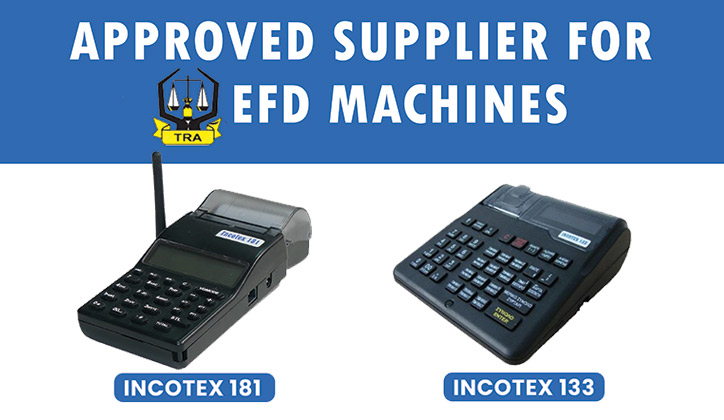
If you issue receipts, the portal’s own message shows why a well-run device matters: a receipt the seller hasn’t submitted to TRA won’t be found. Powercomputers has been an authorised EFD supplier for the Tanzania Revenue Authority since 2013, provides sales and support for Incotex, DATECS and Tremol EFD machines, and offers trained technicians, free usage training and support over telephone. Its EFD video tutorials walk staff through using the machines.
For businesses that bill from software, POWER VFD, Powercomputers’ own VFD solution, works with Tally ERP, Tally Prime, SAP Business One, Microsoft Dynamics, OMEGA ERP, POWER POS, Android devices and various customised ERPs, with reports by user, branch and department.
Frequently asked questions
The portal says a receipt may not be found either because of errors or because the seller did not submit a copy to TRA. Check the code, allow some time and try again, and if it still fails, report it using the form on the same page.
Yes. Under the Tax Administration Act, a buyer who fails to demand a fiscal receipt, or fails to report a refusal to issue one, commits an offence.
Yes, if the system is integrated with TRA’s EFDMS. Under the 2025 amendments, the receipt must carry an electronic signature or code approved by TRA’s Commissioner General.
Receipts in Zanzibar are issued through ZRA’s Virtual Fiscal Management System, which the Zanzibar Revenue Authority runs separately from TRA, so check with ZRA.
Sources
This guide was written from these pages:
- TRA: Taxpayer Receipt Verification Portal
- TRA: The Tax Administration Act, Cap. 438 R.E. 2023 (PDF)
- TRA: The Finance Act, 2024 (PDF)
- TRA: The Tax Administration (General) Regulations, 2016, GN 101 of 2016 (Word document)
- TRA: The Tax Administration (General) (Amendment) Regulations, 2025, GN 352J (PDF)
- TRA: EFD/VFD Suppliers
- TRA: E-Fiscal Devices (EFD)
- TRA: Frequently Asked Questions
- National Audit Office of Tanzania: Performance Audit Report on the Administration of Electronic Fiscal Devices (April 2025)
- National Audit Office of Tanzania: Performance Audit Report on the Administration of Electronic Fiscal Devices (PDF)
- Zanzibar Revenue Authority: Virtual Fiscal Management System (VFMS)
- Powercomputers: EFD Machines
- Powercomputers: TRA VFD Solution
- Powercomputers: EFD Video Tutorials